Most people who buy an online course end up doing a large share of it on a phone: on the bus, in a queue, in the ten minutes before a meeting. That is not a failure of discipline. It is simply when the time exists. The problem is that people use the phone for the wrong parts of the course, then wonder why forty short sessions left them with almost nothing they can do.
A phone is excellent at some learning jobs and close to useless at others. Once you sort the course into those two piles, the small screen stops being a compromise and starts doing real work.
What a phone is actually good at
Think about what the device does well in everyday life: short bursts, listening, looking at one thing at a time, answering a question quickly. Learning tasks that share those features transfer well.
- Reviewing something you have already learned. A lesson you watched properly at a desk yesterday can be skimmed again on the phone today. You are not building understanding from nothing; you are reactivating it, and that only needs a few minutes.
- Recall questions. Quizzes, flashcards and the question what were the three steps in yesterday's lesson? answered in your head before you check. This is the single most valuable thing you can do in five minutes, and it needs no keyboard.
- Listening-heavy lessons. Interviews, discussions, explanations where the speaker carries the content and the slides are decoration. Many of these work as audio with the screen off.
- Reading short text. Lesson summaries, transcripts, a page of notes. Scrolling text is comfortable on a phone in a way that scrubbing through video is not.
- Planning the next session. Opening the course outline and deciding what you will do at the desk tonight takes two minutes and saves the first fifteen of the desk session.
What a phone is bad at
The trouble starts with anything that needs two things on screen at once, fine detail, or your hands.
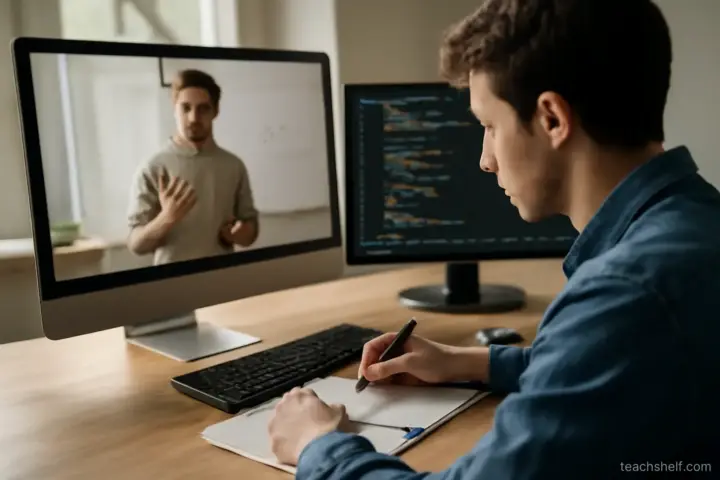
- Software tutorials. If the lesson shows a spreadsheet, a design tool or code, the text on a phone screen is often too small to read, and you cannot follow along anyway. Watching without doing gives a strong feeling of progress and very little ability.
- Dense diagrams and slides. A diagram with twelve labels shrinks to a blur. You will either zoom constantly or stop looking at it.
- First contact with hard material. A new concept needs your full attention, pauses, maybe a page of notes. A train carriage does not give you that.
- Assignments and projects. Anything you produce — a lesson plan, a drawing, a written answer longer than a paragraph — belongs at a desk.
- Hands-on skills. If the course teaches cooking, music or a craft, the phone can show you the movement but you need to be in the place where you can repeat it.
Split the course before you start
Open the curriculum and spend ten minutes marking each lesson with one of three labels. This sounds fussy; it is the step that makes everything else work.
| Label | Typical lessons | Where to do it |
|---|---|---|
| Desk first | New concepts, software walkthroughs, anything with an exercise attached | Desk or table, with notes |
| Either | Talking-head explanations, case studies, interviews | Phone is fine, desk if you want notes |
| Phone review | Quizzes, summaries, re-watching a lesson you already did | Phone, in short gaps |
A useful rule: no lesson moves to the phone pile until it has been done once at the desk, unless it is clearly listening material. The phone is where you keep what you learned, not where you learn it for the first time.
The handover between desk and phone
The gains come from the link between the two. A pattern that fits many working adults looks like this:
- Desk session (30–45 minutes, two or three times a week). One or two new lessons, done properly: pause, try the exercise, write three or four lines of notes in your own words.
- End of the desk session (2 minutes). Write down two or three questions you should be able to answer tomorrow. Put them somewhere you will see on the phone: a notes app, a message to yourself, the course's own note feature.
- Phone the next day (5–10 minutes). Answer those questions from memory before looking anything up. Then re-watch only the part you got wrong, at normal speed.
- Phone later in the week. Do the course quiz, or listen to an interview-style lesson from the next section so the desk session starts with some familiarity.
Nothing here needs special software. What it needs is that the phone session has a specific job waiting for it. Opening the course app with no plan usually ends with you pressing play on the next video, half-watching it, and marking it complete.
Settings and habits that help on a small screen
Download before you need it
If the platform allows offline viewing, download the review lessons on Wi-Fi. Buffering in a tunnel is the most common reason a phone session collapses into scrolling something else.
Use captions or transcripts
Captions let you follow a lesson in a noisy place without turning the volume up, and a transcript lets you search for the one sentence you half remember. If the course offers a transcript, it is often faster to read it than to scrub the video.
Turn off the autoplay instinct
Many course apps move straight to the next lesson. On the phone, that is exactly what you do not want: the next lesson is usually a desk lesson. Finish the review task and close the app.
Mind the speed
Playback at 1.25 or 1.5 is fine for review of material you already know. For anything new, normal speed is usually better, and on a phone with distractions around you it matters more, not less.
Common mistakes
- Counting phone minutes as study minutes. Fifteen minutes of half-attention on a crowded platform is not equal to fifteen minutes at a desk. Track what you can now do, not how long the app was open.
- Doing the whole course on the phone because it is convenient. You can get to 100% completion this way and still be unable to do the first exercise without help.
- Taking notes by typing on the phone during the lesson. Thumb-typing while watching splits attention badly. Watch, pause, then write one line if you must.
- Leaving all the hard lessons for later. If every phone session picks the easy talking-head lesson, the desk-first lessons pile up and the course stalls at the first difficult section.
When the phone is all you have
Some learners genuinely have no desk time: shift workers, carers, people whose only computer is shared. It is still possible to learn well, with adjustments.
- Choose courses where the content is carried by explanation and demonstration rather than software on screen.
- Use a cheap phone stand and, if you can, a small Bluetooth keyboard. A phone propped at eye level with a keyboard handles written exercises well enough.
- Keep a paper notebook. Writing by hand while the phone sits on the table solves the split-attention problem without new equipment.
- Treat one longer session a week, even forty minutes on a kitchen table, as the desk session. Everything else becomes review around it.
The point is not that phones are bad for learning. It is that a phone is a review and reinforcement tool, and courses tend to work best when you give it that job deliberately rather than by default.
Frequently asked questions
Is it fine to watch online course videos on a phone?
Yes, for review, listening-heavy lessons and quizzes. For first contact with new material, software tutorials and exercises, a larger screen and a place to write work much better.
How long should a phone study session be?
Five to ten minutes with a specific task — answering yesterday’s questions or doing a quiz — is enough. Longer sessions on a phone tend to drift into passive watching.
Should I take notes on my phone during a lesson?
Usually not while the video plays. Pause, then write one or two lines, or keep a small paper notebook beside you.
What if the course is mostly software demonstrations?
Watch those lessons at a computer where you can follow along. Use the phone only to rewatch a short part after you have tried it yourself.
Does offline download really matter?
It matters more than most settings. Patchy mobile data is the most common reason a short session turns into scrolling something else.